
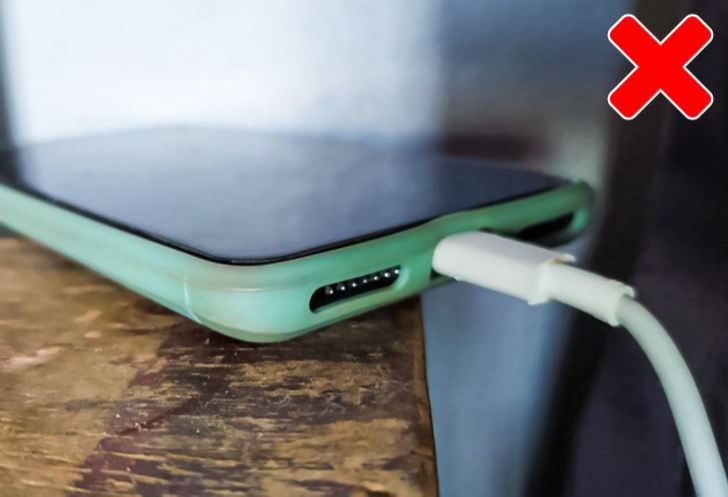
Mobile phones have become an important part of our everyday lives. From making calls and browsing the internet to banking, watching videos, and communicating with loved ones, smartphones are used for almost everything.
However, many people unknowingly practise charging habits that can damage their phone batteries, reduce battery performance, or even create safety risks.
Although modern smartphones are designed with advanced battery protection systems, the way you charge your device can still affect its lifespan.
If you want your phone battery to last longer and remain in good condition, here are seven common mistakes you should avoid.
### 1. Stop Using Fake Or Poor-Quality Chargers
One of the biggest mistakes people make is charging their phones with cheap, poorly manufactured chargers.
Some counterfeit chargers lack proper safety features, which can increase the risk of overheating, electrical faults, and damage to your device.
Always use a charger recommended by your phone manufacturer or a reputable, certified charger that meets your phone’s charging requirements.
A good-quality charger helps deliver power safely and efficiently.
### 2. Stop Charging Your Phone Under Your Pillow
Some people charge their phones while sleeping and place them underneath their pillows, blankets, or mattresses.
This habit can be dangerous because phones and chargers naturally generate heat during charging.
Covering your phone with bedding can trap heat and prevent proper ventilation, increasing the risk of overheating.
For safety, place your phone on a firm, flat, uncovered surface while charging.
Avoid charging your device on your bed, especially when you are sleeping.
### 3. Stop Allowing Your Phone To Overheat While Charging
Heat is one of the major factors that can accelerate smartphone battery ageing.
Activities such as playing demanding games, recording videos, or running heavy applications while charging can cause some phones to become unusually hot.
Although using your phone while charging is not automatically harmful, excessive heat can affect battery health over time.
If your phone becomes very hot, stop demanding activities, disconnect the charger if necessary, and allow the device to cool naturally.
Never place an overheated phone inside a refrigerator or freezer to cool it.
### 4. Stop Allowing Your Battery To Reach 0% Regularly
Many people believe they must completely drain their phone battery before charging it again.
However, this practice is unnecessary for modern lithium-ion batteries.
Repeatedly allowing your battery to become completely discharged can contribute to battery wear.
For everyday use, charging your phone before the battery becomes extremely low is generally better.
Some users prefer keeping their battery between approximately 20% and 80% to reduce long-term battery stress.
However, this is not a strict rule. Charging your phone to 100% when you need the extra battery life is perfectly acceptable.
### 5. Stop Using Damaged Charging Cables
A damaged charging cable may appear harmless, but it can create serious safety problems.
Cables with exposed wires, broken connectors, or damaged insulation may cause charging interruptions, overheating, or electrical hazards.
If your charging cable becomes damaged, replace it with a suitable, high-quality cable.
Avoid wrapping cables too tightly or pulling them forcefully from the charging port.
Proper handling can help prevent damage and extend the life of your charging accessories.
### 6. Stop Charging Your Phone In Extremely Hot Places
Charging your phone under direct sunlight, inside a hot vehicle, or near a heat source can negatively affect battery performance.
Lithium-ion batteries are sensitive to high temperatures, and excessive heat can accelerate chemical ageing inside the battery.
For example, leaving your phone charging on a car dashboard under strong sunlight may cause it to become dangerously hot.
Whenever possible, charge your phone in a cool, dry, well-ventilated environment.
If your phone displays a temperature warning, follow the manufacturer’s instructions before attempting to charge it again.
### 7. Stop Leaving Your Phone Plugged In For Long Periods Unnecessarily
Many modern smartphones automatically regulate charging when the battery reaches 100%, so leaving a phone plugged in overnight does not normally cause it to continuously overcharge.
However, keeping a lithium-ion battery at a high charge level for extended periods, particularly in hot conditions, may contribute to faster battery ageing.
If your phone supports features such as Optimized Battery Charging, Adaptive Charging, or a charging limit, consider enabling them.
These features help manage charging patterns and may reduce unnecessary battery stress.
There is no need to panic if you occasionally leave your phone charging overnight. The most important thing is to use safe charging equipment and prevent excessive heat.
### Additional Tips To Make Your Phone Battery Last Longer
Apart from avoiding the mistakes mentioned above, there are other simple habits that can help preserve battery performance.
Reduce unnecessary screen brightness, update your phone’s software regularly, and avoid exposing your device to extreme temperatures.
You should also inspect your charging port occasionally and avoid forcing cables into it.
If your battery begins swelling, producing an unusual smell, or becoming excessively hot, stop using the device and seek professional assistance.
### Conclusion
Your smartphone battery will naturally lose some capacity as it ages, but proper charging habits can help slow down the process.
Avoiding counterfeit chargers, damaged cables, excessive heat, and unnecessary deep discharges can help improve battery longevity and charging safety.
Remember that modern smartphones are designed to manage charging automatically, so you do not need to follow complicated charging rules to keep your battery healthy.
The most important thing is to charge your phone safely, use reliable accessories, and protect it from excessive heat.
Which of these seven charging mistakes have you been making? Share your experience in the comment section.